






























































Introduction
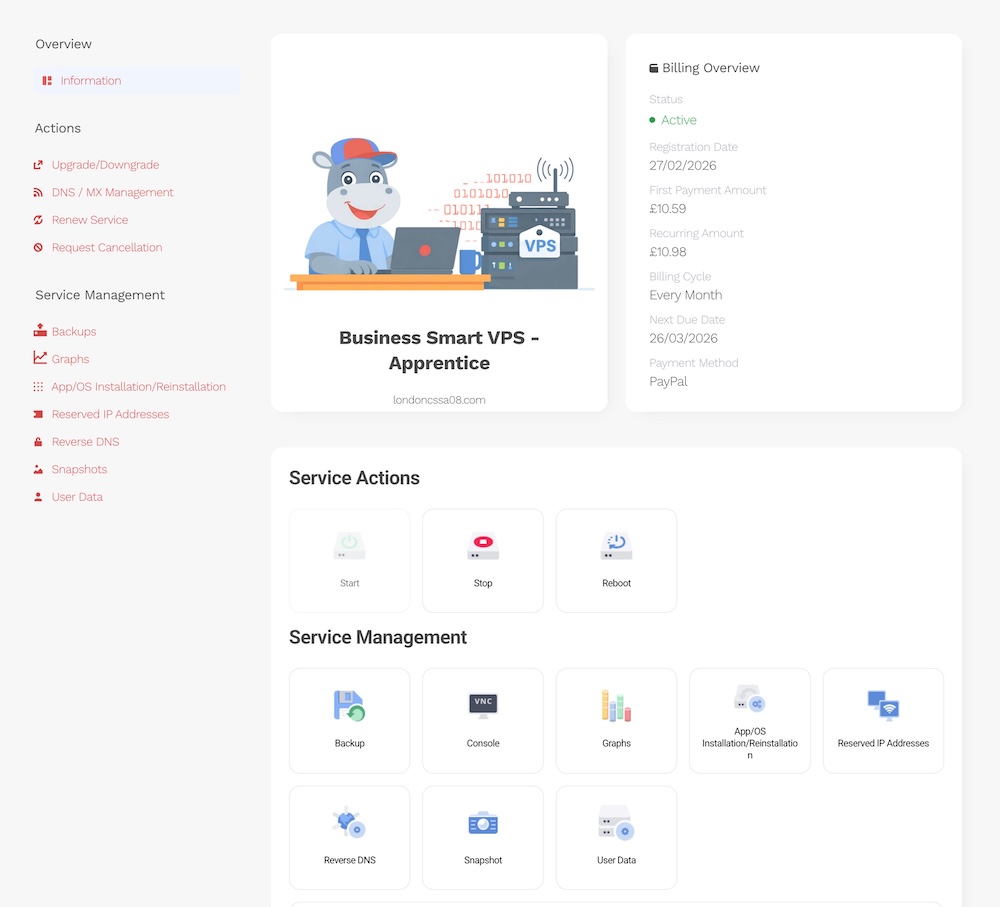
The Hipposerve® VPS vPanel is your all-in-one management console for your VPS instance. From here, you can view and control key aspects of your service, manage settings, and access the tools you need to run your server smoothly.
How to Access Your Hipposerve® VPS vPanel
To open your vPanel, follow the steps below:
Step 1: Log in to the Hippo Portal
Visit the Hippo Portal and sign in to your account:
Step 2: Go to My Services
Once logged in, navigate to My Services to view your active products and services.
Step 3: Select Your VPS Service
Find the relevant VPS service in the list and click Manage.

Step 4: Access the vPanel
You will be taken directly to your VPS vPanel, where you can manage your instance.
Next Steps
See the rest of this knowledgebase for further guides and walkthroughs on managing your VPS, including common tasks and best practices.