

























































Improving Email Deliverability with DKIM in ezForward™
Email deliverability is affected by many factors, including how receiving mail servers verify the authenticity of messages sent from your domain.
One of the most important verification methods is DKIM (DomainKeys Identified Mail). DKIM digitally signs outgoing email, allowing receiving mail servers to confirm that messages genuinely originate from your domain and have not been altered in transit.
While DKIM cannot guarantee that email will never land in a spam folder, it significantly improves trust and deliverability and is strongly recommended for all domains using email forwarding.
Each DKIM key is unique to your domain, so it must be added manually to your DNS records. This guide explains how to do this step by step.
Step-by-Step: Adding Your DKIM Record
1. Locate Your DKIM Details
- Log in to your Hippo Portal.
- Navigate to the domain using ezForward™.
- From the ezForward™ management screen, click Open ezForward Control Panel.

- Click the Email Deliverability icon.
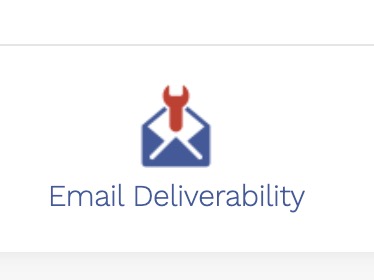
- Select the DKIM button.

You will see two values:
- DKIM (TXT) Name
- DKIM (TXT) Record
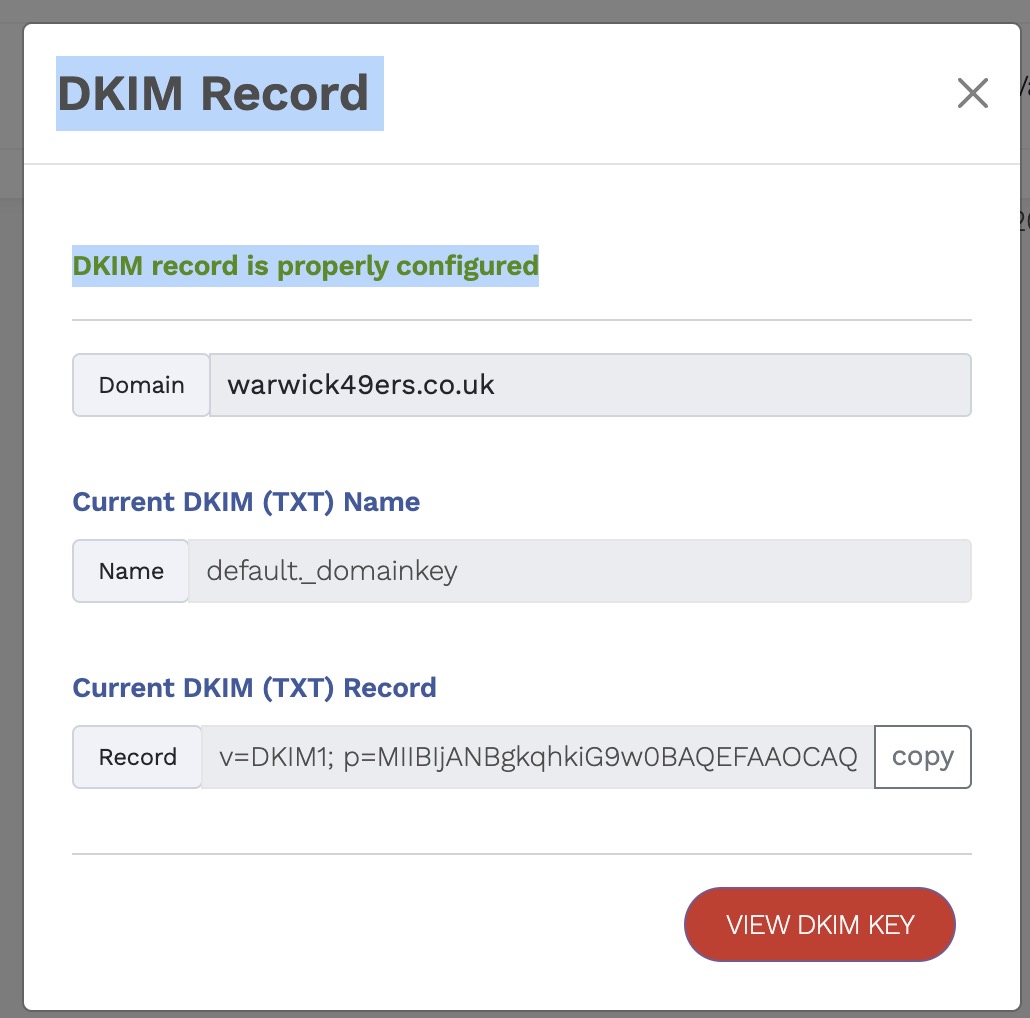
Copy both of these values carefully — they will be added to your DNS in the next step.
2. Open DNS Management
- Return to your Hippo Portal.
- Click the My DNS button.

- Locate the domain and click the pencil (Edit) icon.

3. Add the DKIM TXT Record
- Click Add Record.
- Select TXT Record as the record type.
- Paste the copied DKIM (TXT) Name into the Name field.
- Paste the copied DKIM (TXT) Record into the Text Data field.
- Leave the TTL set to the default value.
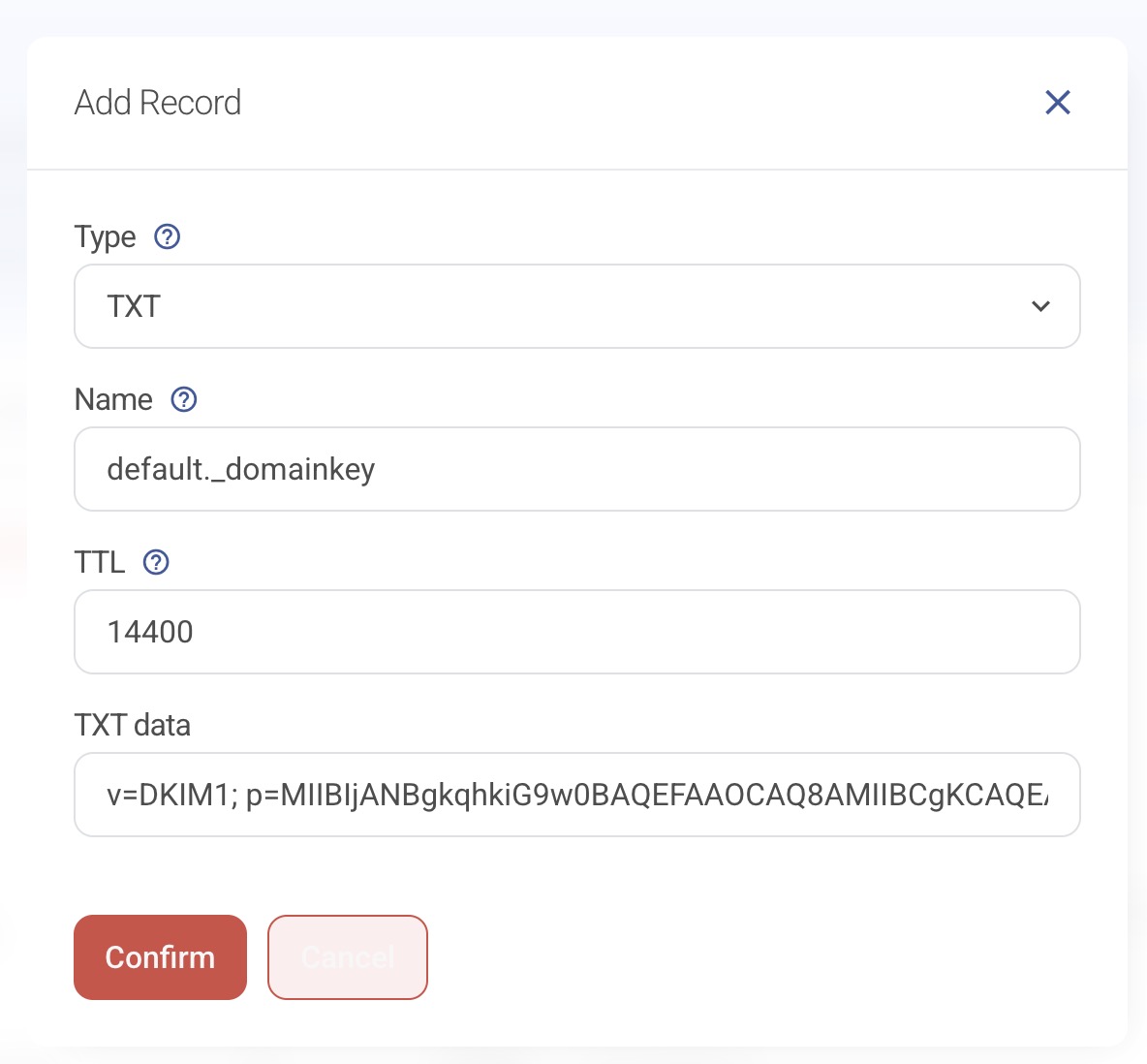
- Click Confirm.
4. Confirm the Record
Once saved, you should see the new DKIM TXT record listed in your DNS zone.

After DNS propagation completes, all email sent from your domain will be digitally signed using DKIM.
Final Notes
Adding a DKIM record improves email deliverability for all addresses on your domain, including forwarded email.
Changes may take some time to propagate across the internet. In most cases this happens quickly, but please allow up to 24 hours for full effect.
Once active, DKIM helps reduce spam filtering issues and improves trust with receiving mail servers — making it a highly recommended step for anyone using email forwarding.