












































Monitoring Your Forwarded Emails in ezForward™
When using email forwarding, it’s helpful to understand what happens to messages after they are sent to your domain.
The ezForward™ email tracking feature allows you to monitor forwarded emails and see whether messages were delivered successfully or blocked due to spam filtering, misconfigured DNS, or security-related issues such as virus detection.
This can be especially useful if someone reports that an email was not received, or if you want reassurance that your forwarding setup is working as expected.
How to Track Email Delivery
1. Open the ezForward™ Control Panel
- Log in to your Hippo Portal.
- Navigate to the domain using ezForward™.
- From the ezForward™ management screen, click Open ezForward Control Panel.
2. Open Email Delivery Tracking
- In the ezForward™ Control Panel, click the Track Email Delivery icon.

This will open the Email Delivery screen.
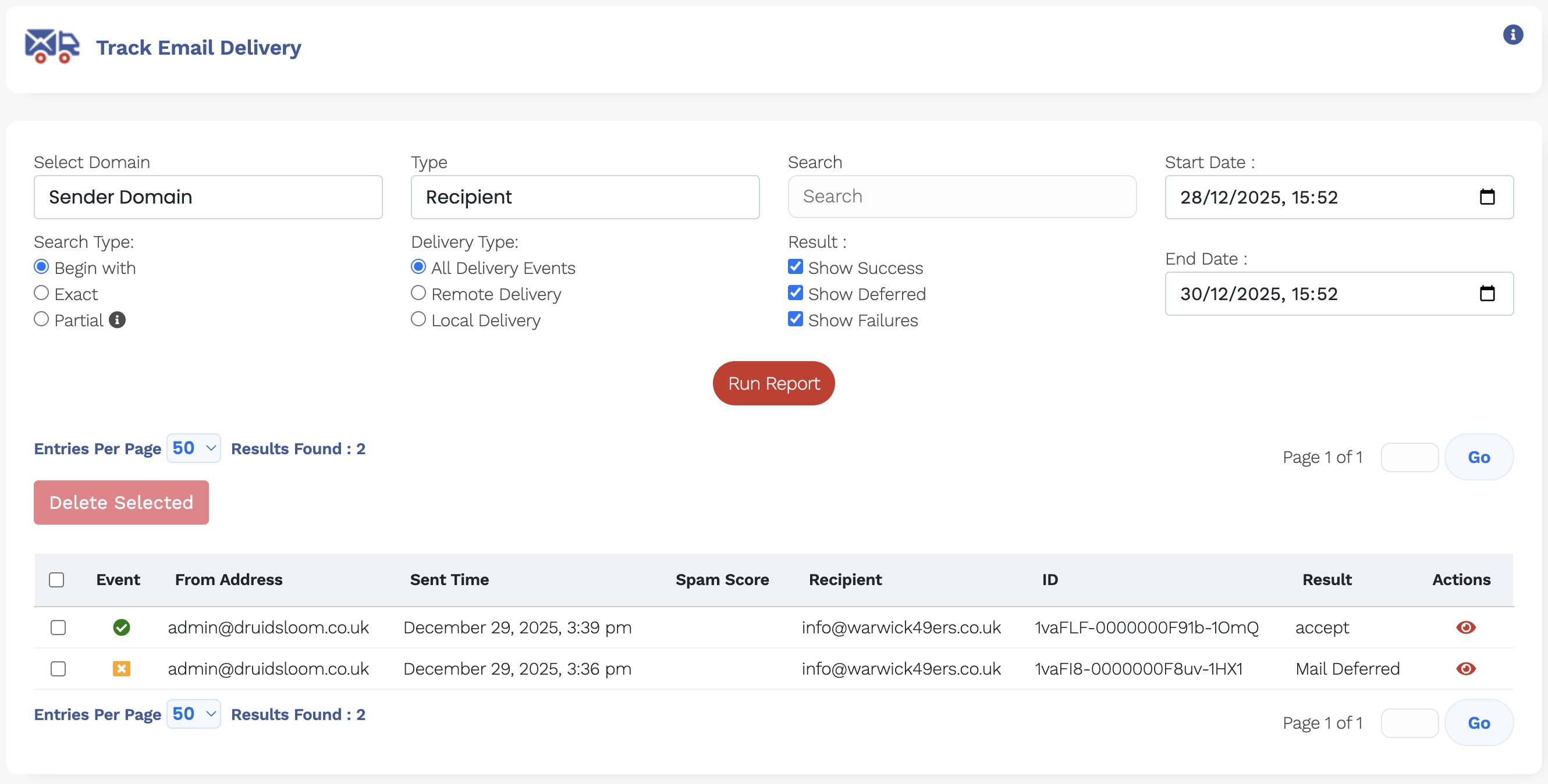
Here you can view recent emails sent to your forwarding domain and see their delivery status, including whether:
- The email was forwarded successfully
- The message was blocked due to spam filtering
- The email was rejected because of misconfigured DNS records
- The message was blocked due to security or virus detection
What This Information Is Used For
Email delivery tracking is intended as a diagnostic and visibility tool. It helps you:
- Identify potential deliverability issues
- Confirm whether emails are reaching the forwarding service
- Spot patterns that may indicate spam filtering problems
If you notice repeated blocks or delivery failures, reviewing your DNS configuration (SPF, DKIM, and MX records) is recommended.
Need Further Help?
If email delivery issues persist and you’re unsure how to resolve them, Hipposerve Support is happy to help review your setup and advise on next steps.